Case study
Customer Email Classifier
Built with sample data to demonstrate the workflow.
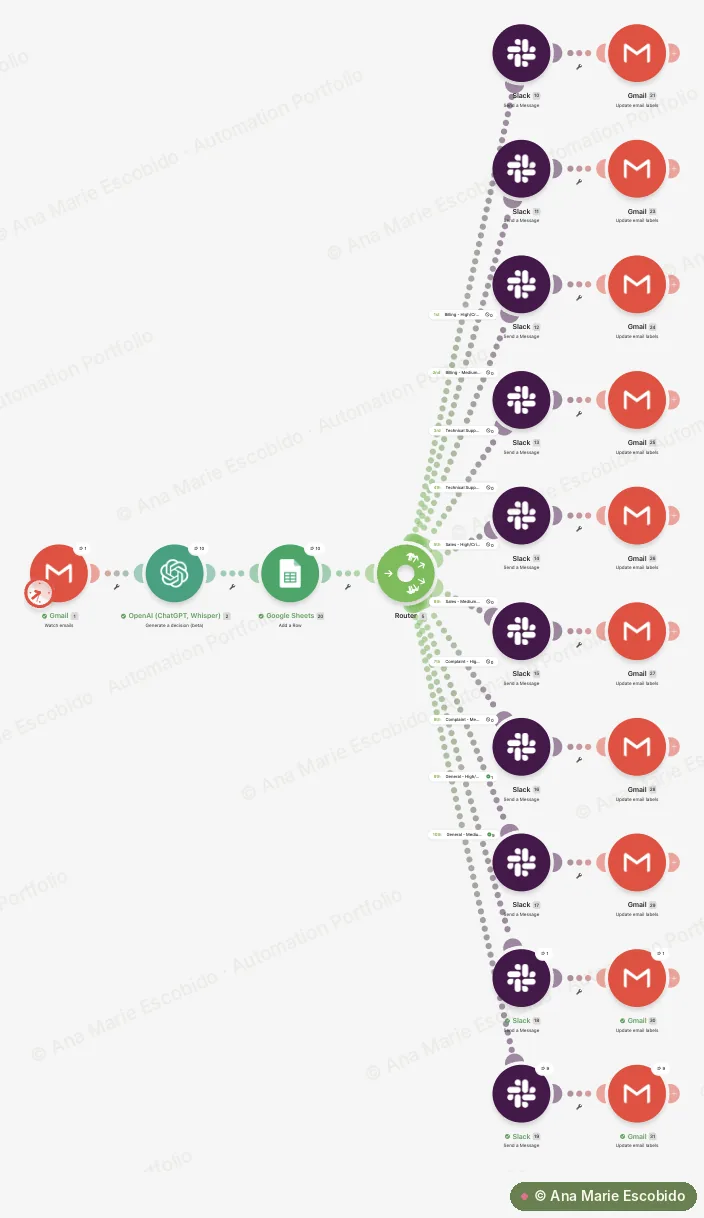
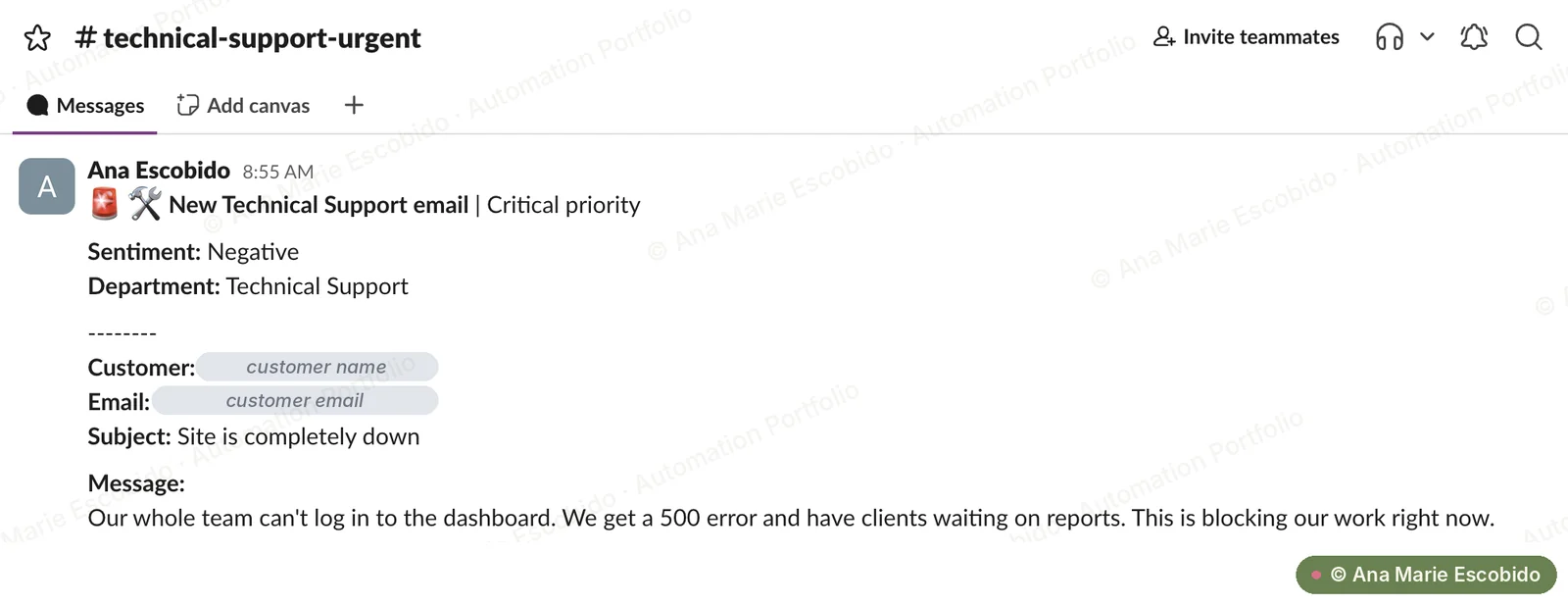
Reads each new customer email, uses OpenAI to decide its category, priority, sentiment and department, logs everything in Google Sheets, posts it to the right one of 10 Slack channels and labels it in Gmail, with Critical and High priority emails flagged as urgent.
- 5
- AI decisions per email
- 10
- Slack channels it routes to
- Logged
- Every email in Google Sheets and labelled in Gmail
The Problem
Every customer email landed in one shared inbox. Someone had to read each one to work out what it was about, how urgent it was and which team should handle it, so billing disputes and complaints could wait hours before reaching the right people.
What I Built
Reads each new customer email, uses OpenAI to decide its category, priority, sentiment and department, logs everything in Google Sheets, posts it to the right one of 10 Slack channels and labels it in Gmail, with Critical and High priority emails flagged as urgent.
- Collects new unread emails from the inbox.
- OpenAI reads the subject and body and decides the category, priority, sentiment and department, plus whether a human should review it, using a clear definition for every option.
- Logs every email and the AI's decisions in a Google Sheet, with a direct link back to the email in Gmail.
- One router with 10 routes sends each email to the right Slack channel based on its category and priority together.
- Labels the email in Gmail by category (Support/Billing, Support/Technical and so on) and adds Priority/Urgent to High and Critical emails.
Interactive demo
See it work, step by step
Step 1 of 7
A customer email arrives
Make picks up new unread emails in the inbox (up to 10 per run) and marks them as read once they're collected.
- From
- Leo Ramos · leo@northpeak.io
- Subject
- Site is completely down
Our whole team can't log in to the dashboard. We get a 500 error and have clients waiting on reports. This is blocking our work right now.
Walkthrough uses sample data. Names, emails and figures are illustrative.
Screenshots


Real screenshots from a test run. Private details are hidden. Click or tap a screenshot to view it full size.
The Result
Saves an estimated 1–2 minutes of reading and forwarding per customer email, which can mean several hours a week for a shared inbox. Critical and High priority issues land in an urgent channel straight away, so the right team can act first.