Case study
Automated Lead Capture & Notification System
Built with sample data to demonstrate the workflow.
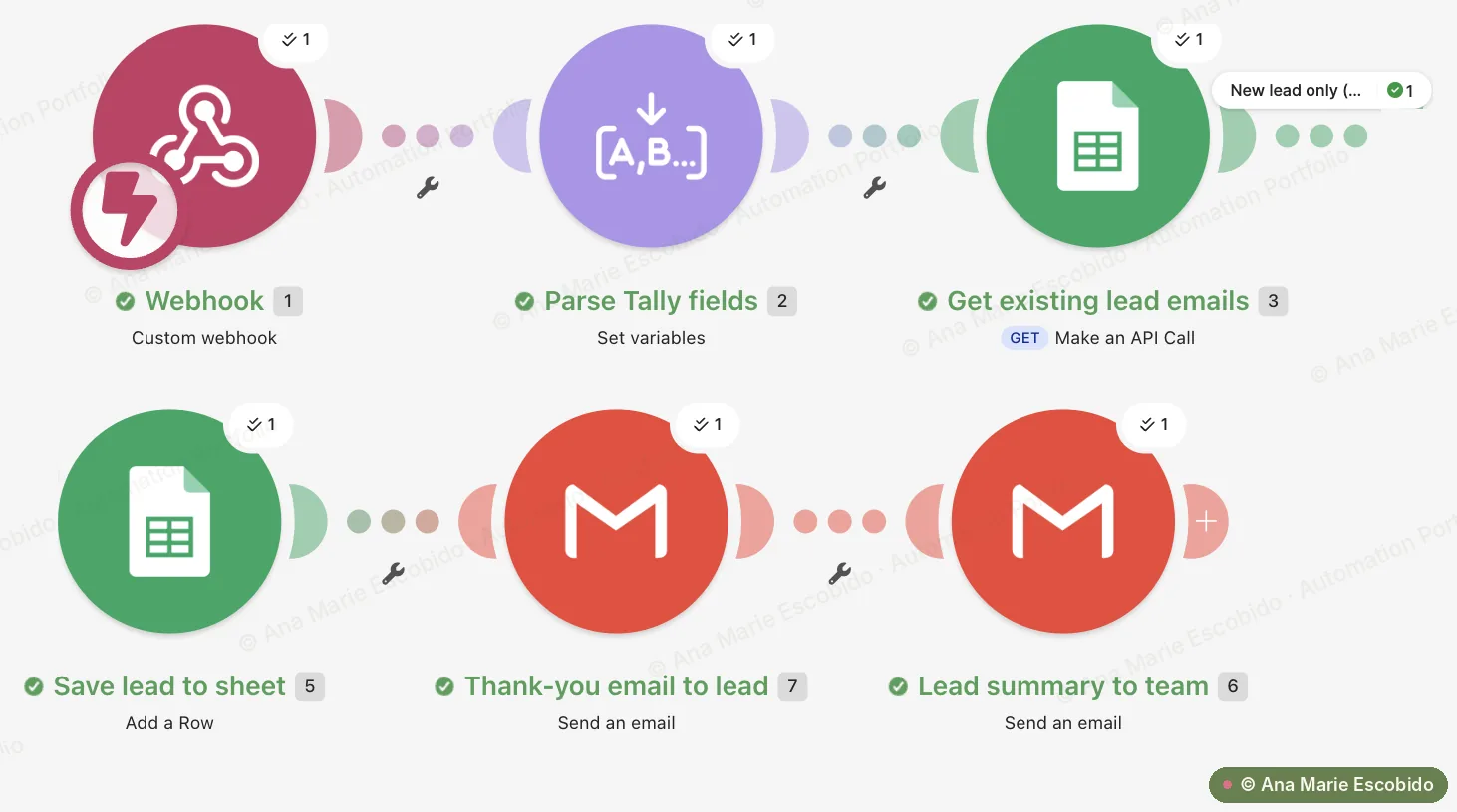
Captures every Tally form enquiry through a Make webhook, skips leads already in the sheet, saves new ones to Google Sheets, sends the lead an instant thank-you email, and emails the team a summary that flags budgets of ₱100,000 / $100,000 or more as priority.
- Instant
- Thank-you email to every new lead
- 0
- Duplicate rows from repeat submissions
- Priority
- Flag for budgets of ₱100,000 / $100,000 or more
The Problem
Enquiries from the website form were followed up by hand. New leads waited hours or even days for a reply, their details were copied into a spreadsheet manually, and a big-budget prospect got the same slow response as everyone else, so promising leads went cold.
What I Built
Captures every Tally form enquiry through a Make webhook, skips leads already in the sheet, saves new ones to Google Sheets, sends the lead an instant thank-you email, and emails the team a summary that flags budgets of ₱100,000 / $100,000 or more as priority.
- Starts the moment someone submits the Tally contact form, through a Make webhook.
- Tidies up the answers: trims and lowercases the email, turns dropdown choices into readable text and marks budgets of ₱100,000 / $100,000 or more as Priority.
- Checks the lead sheet and stops if that email is already there, so repeat submissions don't create duplicates or extra emails.
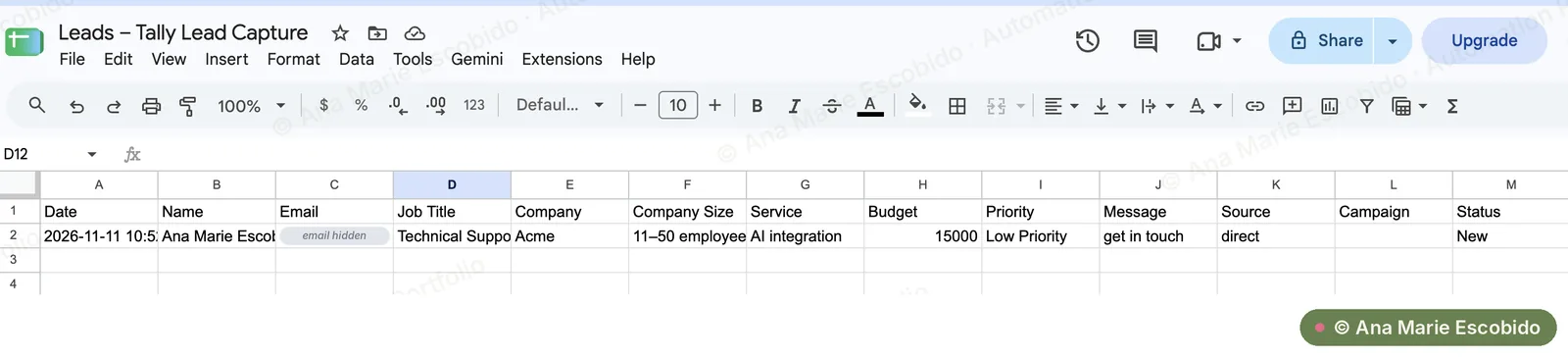
- Saves the new lead to Google Sheets with the status New.
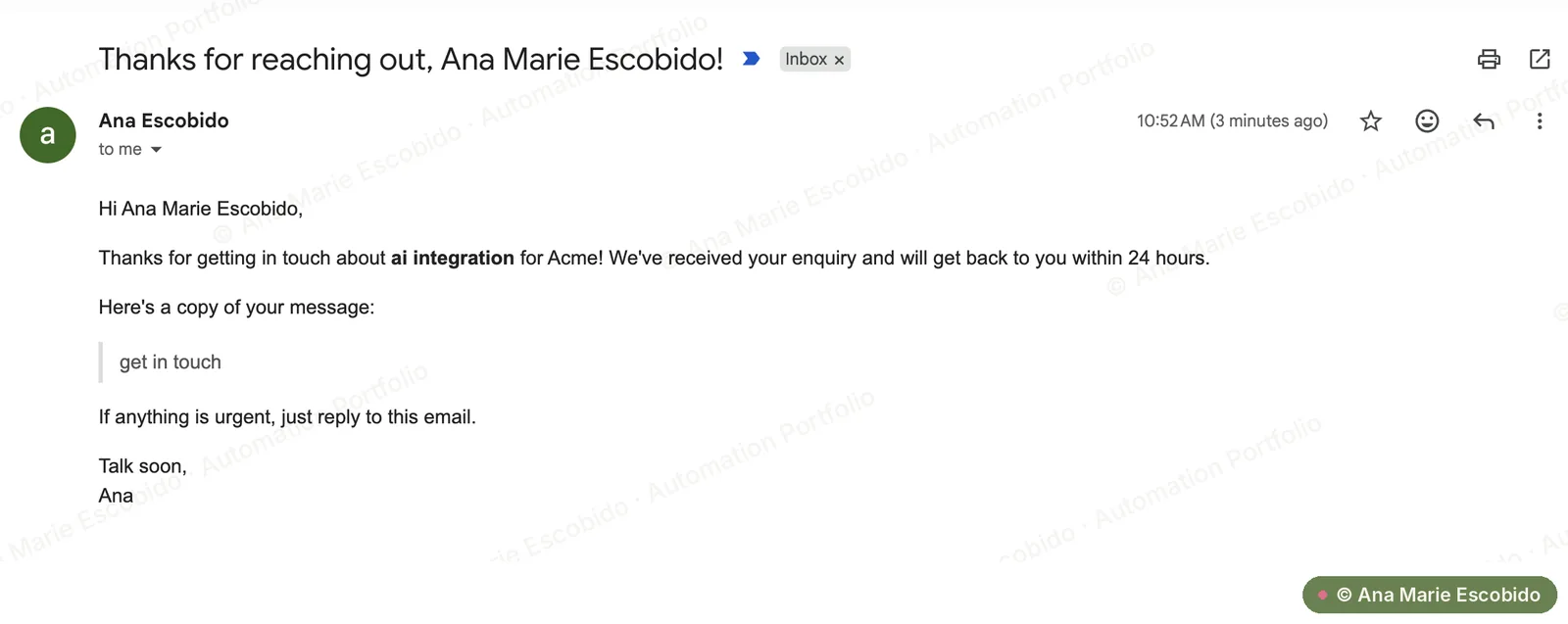
- Sends the lead a personalised thank-you email with a copy of their message.
- Emails the team a full lead summary with a link to the sheet, marked Priority or Low Priority.
Interactive demo
See it work, step by step
Step 1 of 7
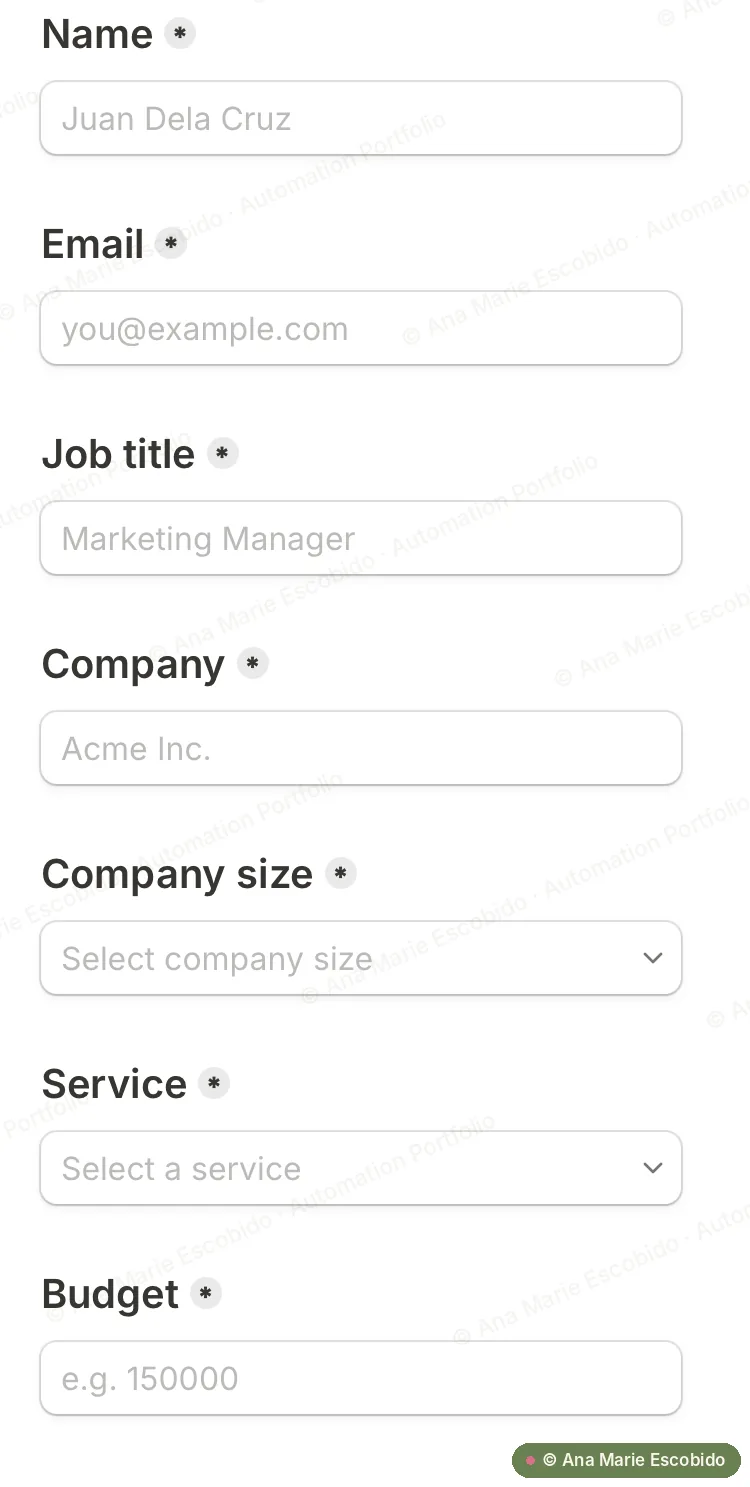
A lead fills in the contact form
The scenario starts the instant someone submits the Tally form on the website. Tally sends the answers straight to a Make webhook.
- Name
- Marco Santos
- Marco@Brightway.ph
- Job title
- Operations Manager
- Company
- Brightway Logistics
- Company size
- (dropdown option ID)
- Service
- (dropdown option ID)
- Budget
- 150000
- Message
- We copy orders between three spreadsheets every day.
Walkthrough uses sample data. Names, emails and figures are illustrative.
Screenshots
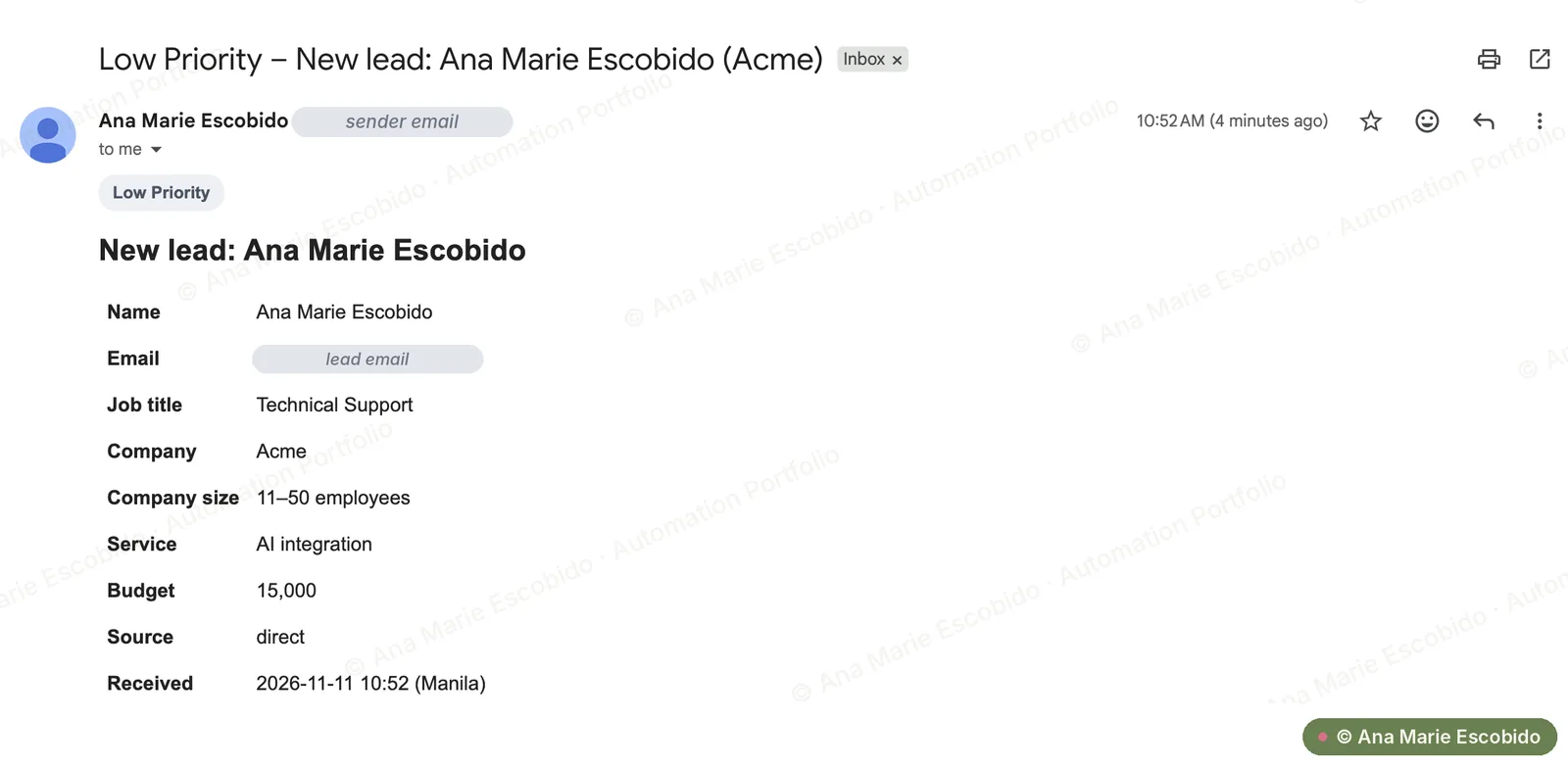
Real screenshots from a test run. Private details are hidden. Click or tap a screenshot to view it full size.
The Result
Saves an estimated 5–10 minutes per lead on copying details into a spreadsheet and writing a first reply. Leads hear back within seconds instead of hours, repeat submissions don't clutter the sheet, and high-budget enquiries are flagged so they're followed up first.